Why This Matters
After years of design work, icon generation has always been awkward territory. You need dozens of icons in a project: icon libraries give you inconsistent styles, hiring illustrators costs money, and drawing them yourself takes too much time.
So when GPT Image 2 started shipping with "accurate text rendering" and "better comprehension," my first thought was: Can it design icons for me?
I tested 8 scenarios. The verdict: AI generates usable icons, but consistency control across multiple icons is still its biggest weakness.
Case 01: Line Icon Generation
Line Icon — "Settings" Function

What worked: The gear icon appeared. Stroke is roughly 2px with rounded corners.
What didn't work: The 8 gear teeth have slight asymmetry — visible to the naked eye. Some strokes are thicker than others. Strict 24px grid alignment isn't pixel-perfect yet.
Conclusion: Single icons: GPT Image 2 delivers "usable" results. For strict pixel-perfect icon libraries, manual adjustment in Figma is still needed.
Case 02: Filled Icon Set Generation
E-commerce App Bottom Navigation (5 Icons)
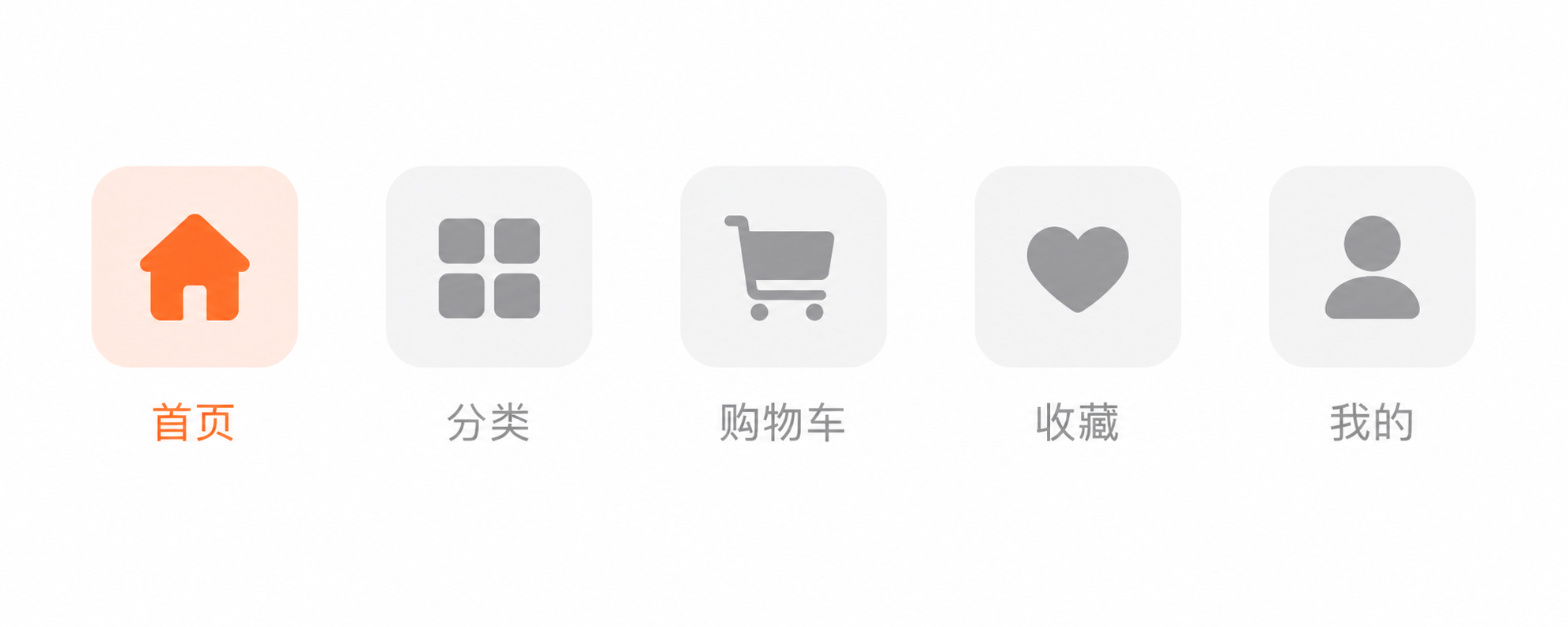
What worked: All 5 icons generated. Home (house), Categories (grid), Cart, Favorites (star), Profile (person) — all recognizable.
What didn't work: Visual weight consistency is the problem here. The "Home" icon feels heavier than "Cart." Corner radius varies slightly across icons. Enlarged to 64x64px, detail precision differs.
Conclusion: For icons that "look like they belong to the same set," GPT Image 2 scores 60-70%. For pixel-level professional icon libraries, Figma manual adjustment is still required.
Case 03: Brand Logo Generation
AI Design Tool Company Logo
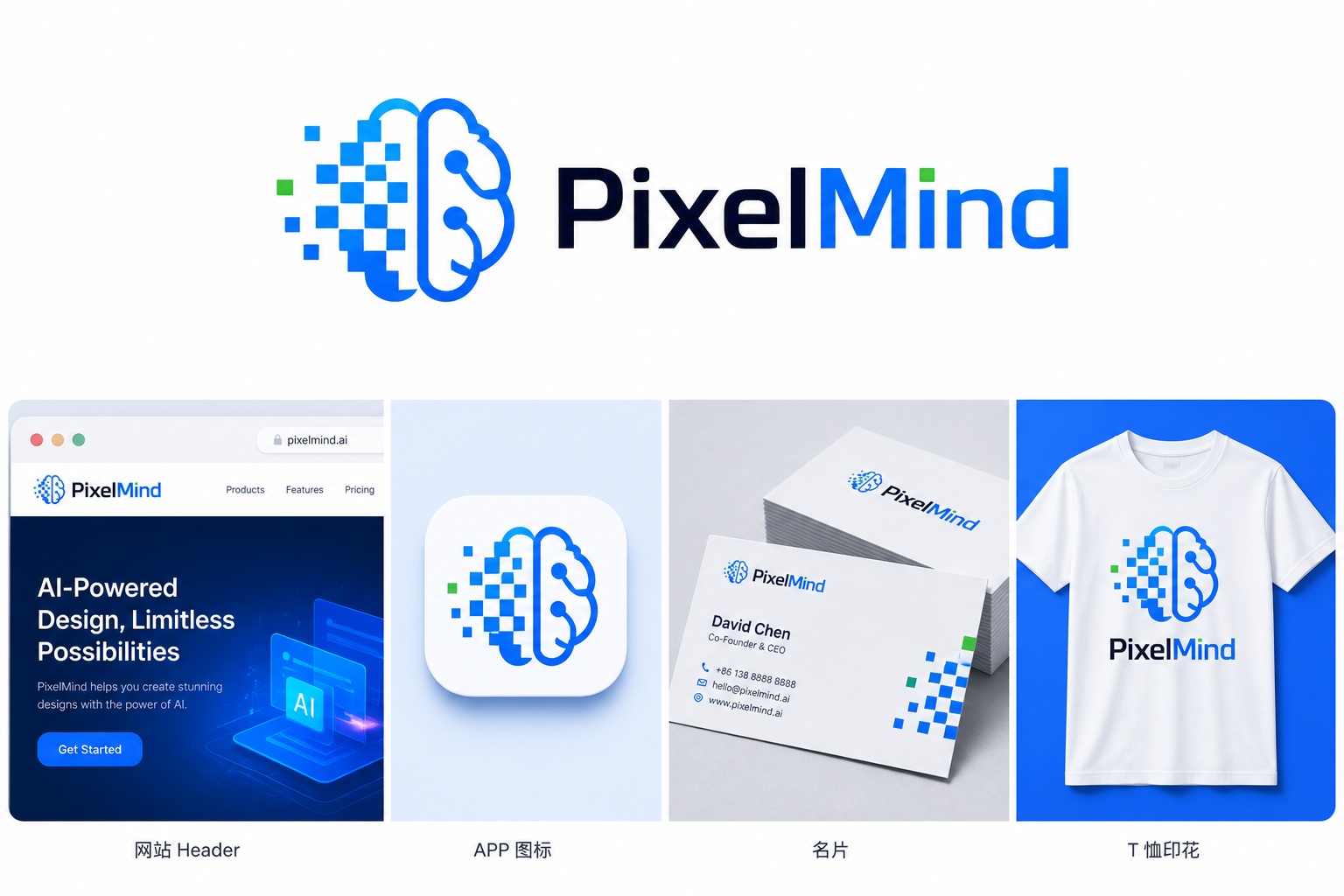
What worked: Logo appeared with pixel-brain concept. Lettering has design appeal. All 4 application scenarios (website, app icon, card, t-shirt) arranged nicely.
What didn't work: Generated logo is a raster image, not vector. Enlarge to poster size and quality degrades. "Tech feel" interpreted as blue gradient + glow effects — somewhat templated. Color calibration inconsistent across the 4 scenarios.
Conclusion: Best use: logo concept exploration. For final delivery logos, redraw as vector based on AI-generated direction.
Case 04: Icon Set Consistency Test
Seasonal Icon Set (Spring/Summer/Autumn/Winter)
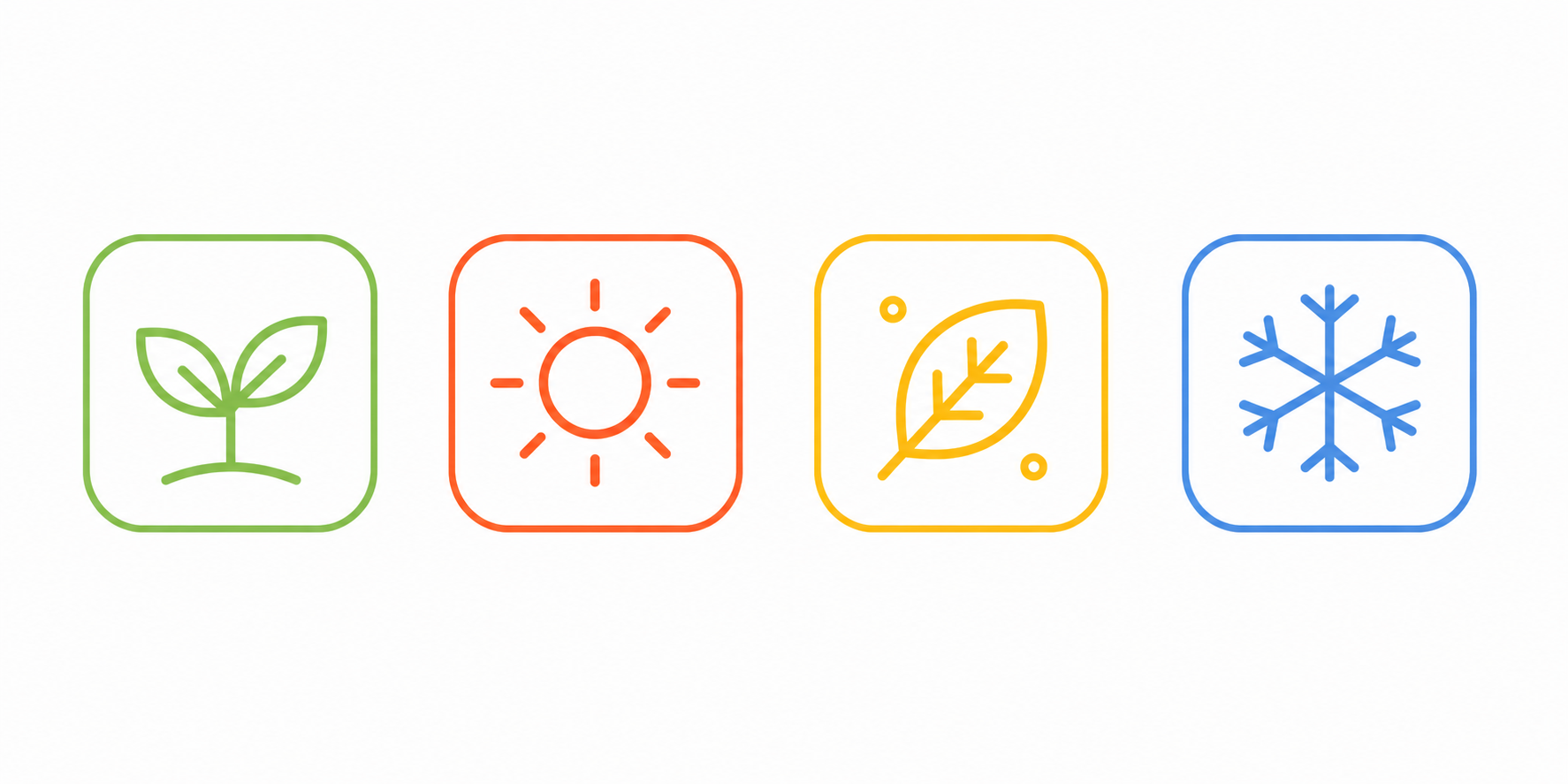
What worked: All 4 seasonal icons generated. Representativeness correct (sprout, sun, leaf, snowflake).
What didn't work: Consistency problems are most obvious here. "Spring" sprout has thinner lines; "Summer" sun has noticeably thicker strokes. Detail density inconsistent — sun has ray details, snowflake has crystal details, but sprout is simpler. Colors differ in saturation and brightness.
Conclusion: This is GPT Image 2's biggest weakness: generates single good images, struggles with strictly consistent multiple images. For icon libraries, use AI for inspiration, then unify in Figma components.
Case 05: Multi-Style Comparison
Same Icon, 4 Different Styles
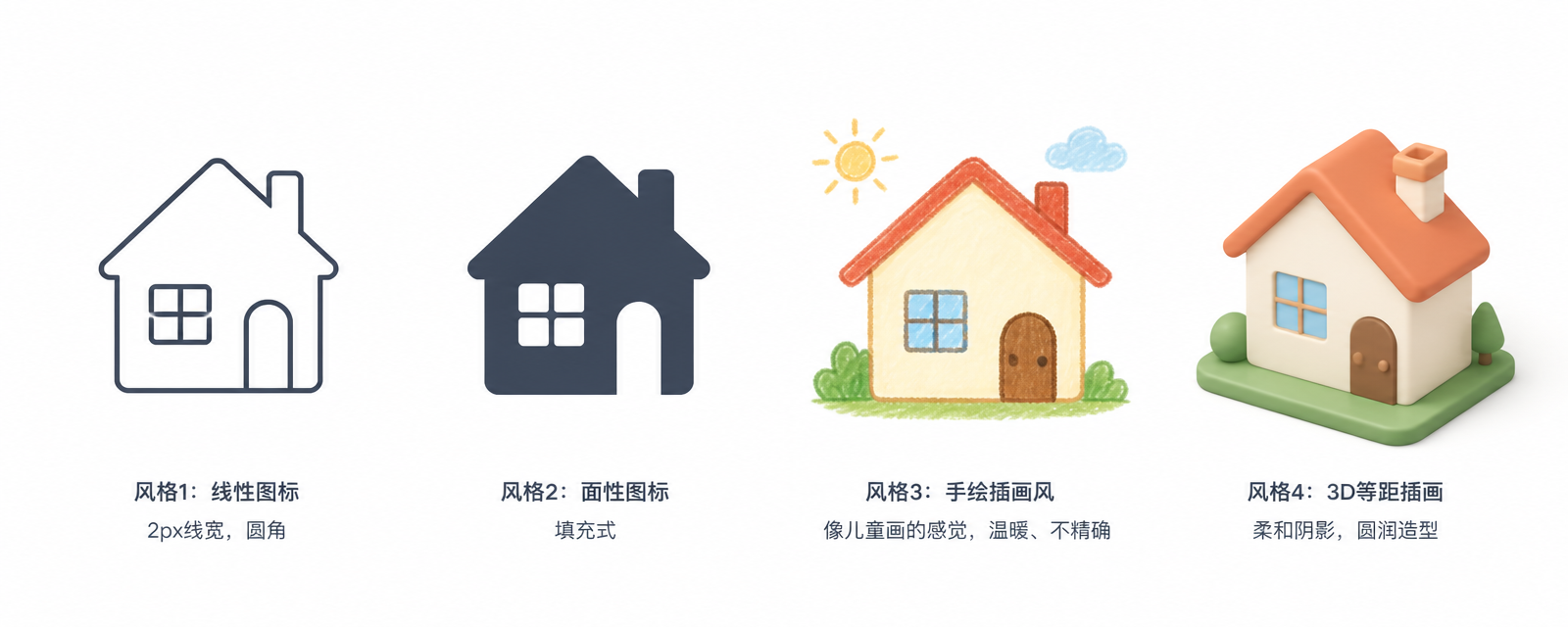
What worked: All 4 styles generated. Line is lines, filled is solid, hand-drawn has childlike quality, 3D has isometric and shadows.
What didn't work: The "same home icon" requirement — AI interpreted as "4 different home icons in different styles" rather than "same icon with skin changed." Style transfer for strict re-skinning isn't precise enough yet.
Conclusion: Best for: exploring "what visual directions can this concept take." For "same icon, different skin," not precise enough.
Case 06: Transparent Background Icon
Camera Icon with Transparent PNG
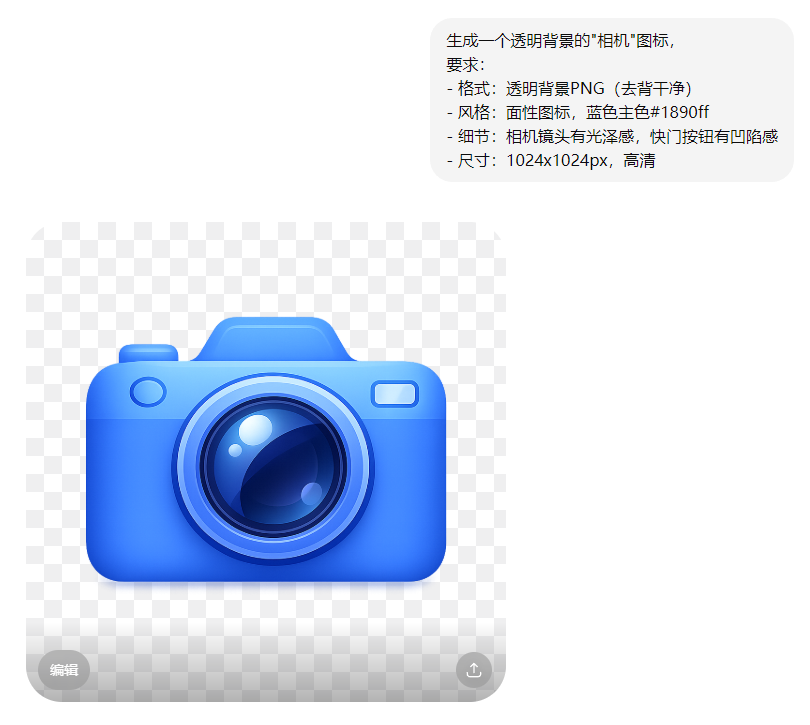
What worked: Camera icon generated. Transparent background available (downloadable as PNG from GPT Image 2 web version).
What didn't work: If icon edges have glow or shadow, transparent background leaves "fuzzy edges." Lens reflection feels templated, not carefully designed.
Conclusion: Transparent icons: achievable but edge precision is lower than professional tools (PS pen tool or Remove.bg). For project-level deliverables, fix edges in Photoshop after AI generation.
Case 07: Logo Application Scenarios
Logo on Business Card, T-shirt, Website Header
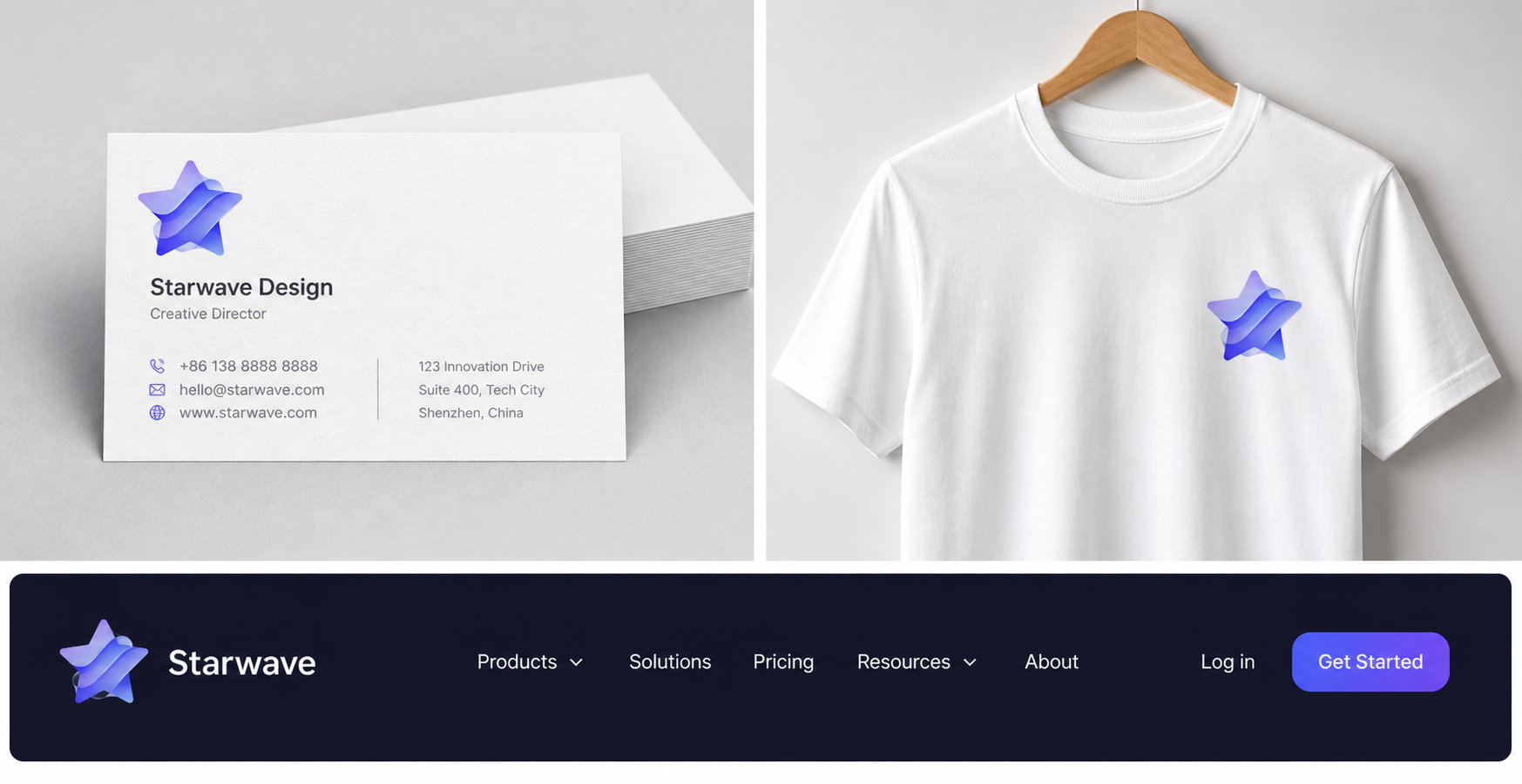
What worked: All 3 scenarios generated. Logo placed in designated positions.
What didn't work: "White" on business card vs "white" on t-shirt — subtle color difference (paper white vs fabric white). Logo on dark header might need inverted color treatment, but AI didn't adapt. T-shirt logo perspective and wrinkles look artificial.
Conclusion: Best for: brand proposal showcase images — showing clients "what the logo looks like in context." For actual production, manual adaptation per scenario still needed.
Case 08: Grid-Compliant Icon Generation
"Upload" Icon Strictly on 24x24px Grid
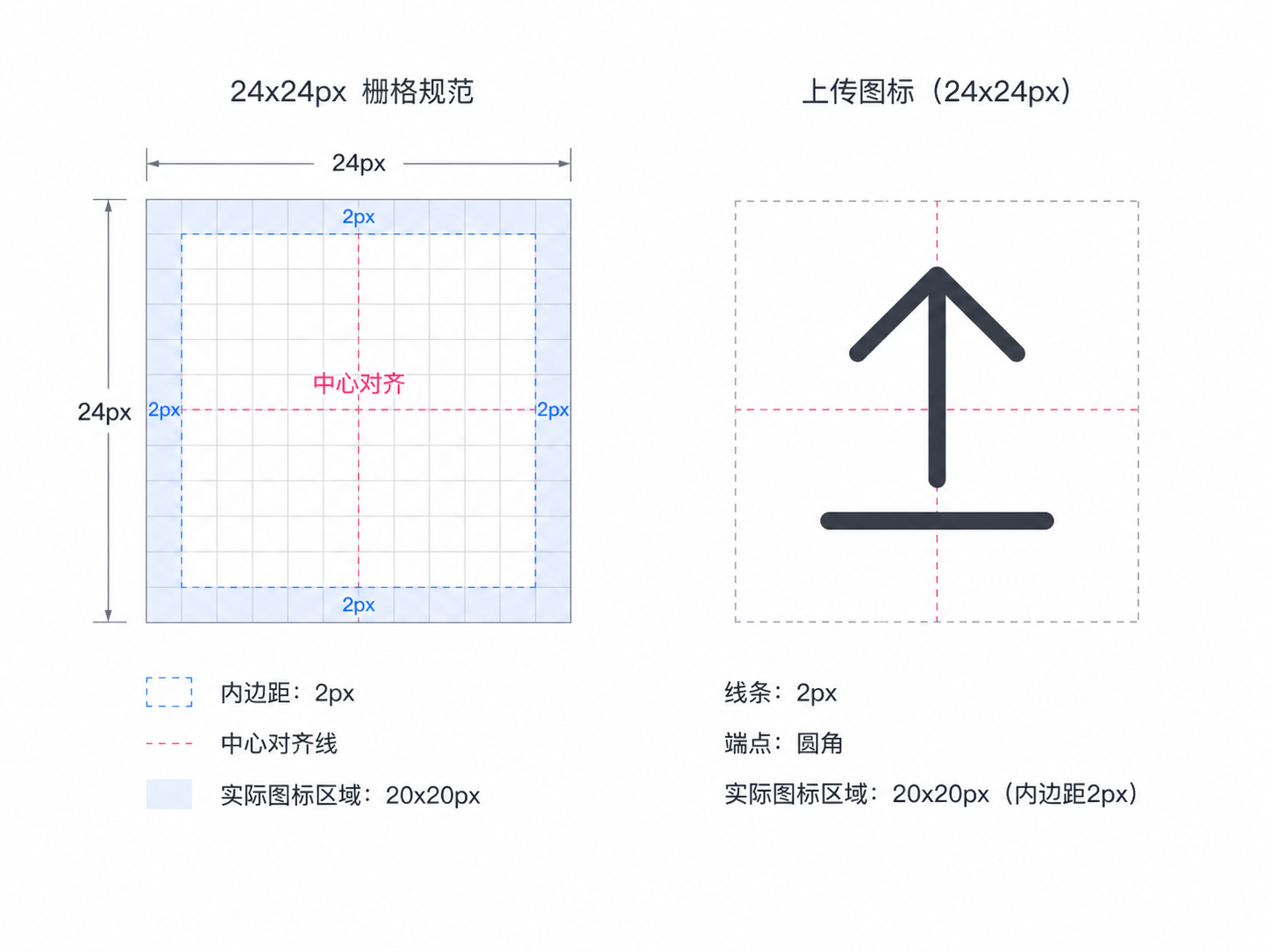
What worked: Icon generated. "Upload" semantics correct (up arrow + horizontal line).
What didn't work: "Strict grid alignment" — AI understood the concept but wasn't precise. Arrow position not strictly centered. 2px padding not strictly followed. For developer handoff, "approximately aligned" isn't enough.
Conclusion: For grid-compliant icon generation: AI achieves "looks like the spec" but not "pixel-perfect compliance." Design system icons still recommended in Figma.
The Verdict
AI generates usable icon quality, but consistency across multiple icons is still its biggest weakness.
Best for: Logo concept exploration, icon style exploration, proposal showcase images.
Not suitable for: Strictly consistent icon libraries, precise design system specs, project-level deliverables.
My recommended workflow:
Use GPT Image 2 for rapid direction exploration → Select the best → Redraw carefully in Figma → Use Figma components for consistency.
AI handles "0 to 1 inspiration"; humans handle "1 to 10 quality."
Summary Table
| Case | Type | Rating | Best Use |
|---|---|---|---|
| 01 | Line Icon | 3/5 | Inspiration reference, final needs adjustment |
| 02 | Filled Icon Set | 3/5 | Low-stakes use; consistency needs manual work |
| 03 | Brand Logo | 4/5 | Logo concept exploration, highly recommended |
| 04 | Icon Consistency | 2/5 | Biggest weakness, not recommended as sole source |
| 05 | Multi-Style Comparison | 4/5 | Visual direction exploration, strongly recommended |
| 06 | Transparent BG Icon | 3/5 | Usable, edge precision needs PS fix |
| 07 | Application Scenarios | 3/5 | Brand proposal showcase, works well |
| 08 | Grid-Compliant Icon | 2/5 | Precision specs not achievable yet |
My Honest Recommendation
What AI does well:
Logo concept exploration (input keywords, get 10 directions in 1 minute). Icon style exploration (same concept, quickly see 4 visual directions). Proposal showcase images (logo in context for client presentation).
What AI doesn't do well yet:
Strictly consistent icon libraries. Precise design system compliance (grid, spacing, stroke — not pixel-level). Project-level deliverables (edge precision, vector format — still need human work).
My workflow recommendation: Use GPT Image 2 for rapid icon direction exploration → Pick the best → Redraw manually in Figma → Use Figma components for consistency. AI handles inspiration; humans handle quality.